![Logo-300_Mobius-Institute-1.png]](https://learn.mobiusinstitute.com/hs-fs/hubfs/Logo-300_Mobius-Institute-1.png?height=40&name=Logo-300_Mobius-Institute-1.png)
Once a course has been added, you may need to make changes, for example, your course dates have changed, or you need to use a different instructor.
 Click on the Edit Icon to the left of the course you wish to make changes for. You can make any necessary changes to the course now.
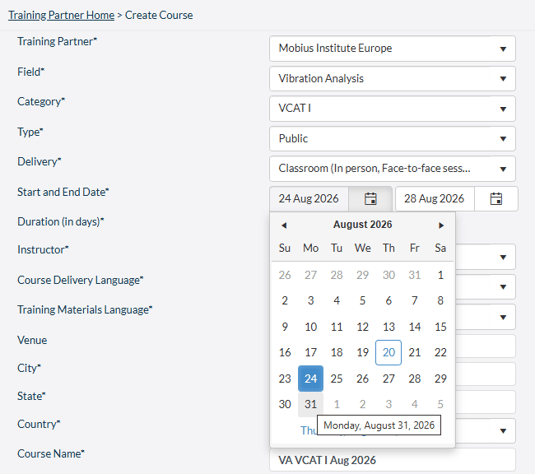
For example, you may wish to move the dates of the course. Simply change the start date by selecting the date from the calendar picker.
Once you have made your changes click the SAVE button. If you have not made any changes, click the CANCEL button.